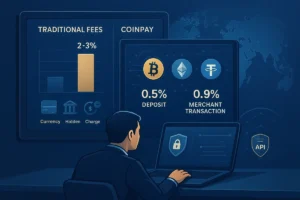

A high-performing crypto payment gateway demands flexibility. To maximize conversion rates, you must adapt to user preferences by offering diverse blockchain networks. CoinPay makes this capability native, enabling full compatibility with International infrastructure.
Adding new networks to your CoinPay gateway does more than just expand your payment options—it directly improves your bottom line. By integrating networks like TRC-20 or BEP-20, you slash transaction costs, accelerate settlement times, and ensure compatibility with the market’s most popular wallets.
This guide provides the expert steps to configure your CoinPay gateway, allowing you to optimize your payment infrastructure today.
Why Multi-Network Support is Critical for Revenue
In the crypto payment landscape, network selection dictates the user experience. Relying solely on the Ethereum mainnet (ERC-20) often leads to cart abandonment due to high gas fees and slower confirmation times. By activating multiple networks on CoinPay, you empower customers to pay on their terms.
- Reduce Transaction Fees by choosing networks like TRC-20 or BEP-20.
- Increase Payment Speed; some networks confirm transactions in less than a minute.
- Compatibility with More Wallets such as Trust Wallet, TronLink, and MetaMask.
Step-by-Step: How to Activate New Networks on CoinPay
The CoinPay admin panel provides precise management of supported currencies and networks. This structure allows merchants to activate or deactivate different blockchain networks based on their store’s strategy or user requests. A new network can be added to the payment system in a few simple steps without any changes to the website code or requiring complex technical knowledge.
Steps to do this in CoinPay:
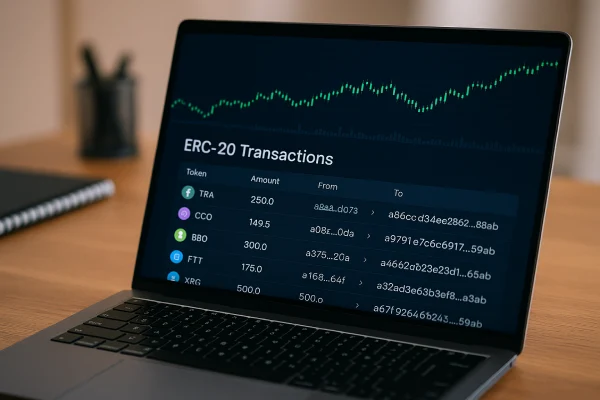
Step 1: Log in to the Admin Panel
Log in to your CoinPay account and navigate to the ‘Projects’ section from the main menu. Select the project to which you want to add the network.
Step 2: Select Network Settings Option
In the project dashboard, find and enter the ‘Currency and Network Settings’ section. This is the central control for activating different networks.
Step 3: Activate Desired Network
You will see a list of supported currencies such as Bitcoin, Ethereum, Tether, or Binance Coin. For each currency, you can activate or deactivate networks like ERC20, TRC20, or BEP20. Simply tick the desired network and click the ‘Save’ button.
Step 4: Perform a Test Transaction (Optional)
After activation, it’s recommended to perform a test transaction. This is useful for ensuring the system correctly generates transaction receiving addresses, records hashes, and updates order statuses.
Step 5: Check Status in the Transactions Panel
After testing, go to the ‘Reports’ section and check the status of transactions on the new network. If all steps have been completed successfully, the network is active and ready for use.
Important Points When Activating a New Network on Coinpay
When you decide to add a new network to the CoinPay payment gateway, it’s important to consider a few key points to get the best performance from the system and prevent potential issues.
- Choose the Right Network: When adding a new network, consider its transaction costs and confirmation speed. For instance, networks like TRC-20 and BEP-20 are suitable options for many users due to their low fees and high speed. Using these networks can reduce additional costs and improve the user experience.
- Wallet Compatibility: Before activating any network, ensure it’s compatible with popular wallets such as Trust Wallet, TronLink, or MetaMask. This allows users to easily use their wallets for payments without worrying about compatibility.
- Test Transactions: After activating a new network, it’s advised to conduct a test transaction to ensure everything works correctly. This transaction should include generating a receiving address and recording it in the system. If successful, you can fully activate the new network.
- Reporting and Monitoring: By accessing the reports section, you can check the status of transactions and the performance of active networks. If everything is proceeding correctly, the new network will be ready for use.
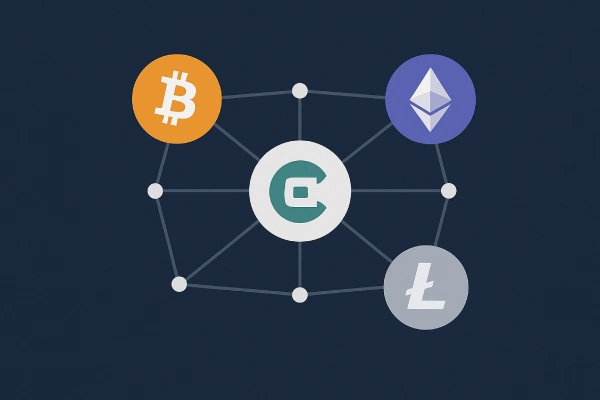
Impact of Adding Different Networks to the Coinpay Payment Gateway
Adding new networks to the crypto payment gateway can have positive impacts on system performance and user experience:
- Reduced Fees: By using networks with lower transaction costs like TRC-20 and BEP-20, users can lower their payment expenses.
- Increased Payment Speed: Some networks can confirm transactions in less than a minute, providing users with a faster and more convenient payment experience.
- Support for Various Currencies: Activating different networks allows users to utilize a diverse range of currencies for payments, which is particularly beneficial for stores and businesses looking to expand their market reach.
Enhancing Security and Reducing Risk with the CoinPay Gateway
Utilizing various blockchain networks within the CoinPay payment gateway, especially reputable and well-known ones like TRC-20 and BEP-20, significantly enhances transaction security. Each of these networks offers a high level of security for transactions due to their specific features. As blockchains operate decentrally, data cannot be altered or tampered with, ensuring the security of payments.
Furthermore, using multiple different networks minimizes potential risks such as network congestion or high fee volatility. For example, if one network encounters technical issues or fluctuating fees, users can seamlessly switch to another network for their transactions. This minimizes transaction-related risks and improves the overall security of the payment system.
Consequently, adding different networks to the CoinPay gateway not only boosts transaction security but also provides a more secure and reliable payment experience for businesses and customers by mitigating potential risks and offering multiple choices.